
The right Meshy alternative depends on what bothers you about Meshy. Sloyd gives you unlimited generations for a flat fee, and Tripo's API lets you pay per model without a subscription. TRELLIS.2 is an open model for your own GPU, and free CC0 packs cover ordinary props in one style.
If only one step lets you down, such as rigging or textures, you can keep your Meshy files and replace that step for cents.
We make Oryn, an AI game maker that also generates assets, so weigh that. We didn't run hands-on tests and can't say whose meshes look better. Facts are from the linked pages on November 24, 2026, and per-model costs are our arithmetic.
This page is for people who have used Meshy or ruled it out. If you haven't picked a generator yet, start with the best AI 3D model generators. For the big four side by side on formats, polycounts and APIs, read Meshy vs Tripo vs Hunyuan 3D vs Rodin.
Before you cancel: what you keep and what you lose
Do this while your plan is still active. It takes ten minutes and saves the models you already paid for.
Download every model you might use
Section 2.5 of Meshy's terms lets it remove output above your storage limit or in an inactive account, with reasonable efforts to warn you first. API files are kept for three days on every plan except Enterprise, according to the API quickstart. Take a GLB of each model, plus the texture files.
Write down which plan made which model
The license follows the plan you were on when you generated. Save a short list with model, date and plan next to your files. Models from your free months still need a credit to Meshy after you subscribe or leave.
Spend the monthly credits
Monthly credits don't roll over. Purchased credits last longer, though Meshy's pages disagree on how long: its docs say they don't expire, and its terms say one year from purchase. Plan for the shorter one.
Check whether a refund is realistic
Meshy's refund article asks for a request within 5 days of the first payment, no more than 100 credits used and no models downloaded. Credit packs aren't refundable, and a yearly plan isn't prorated.
Reason 1: it costs too much per model
Look at which model you were running. On paid plans other than Enterprise, Meshy's web app starts Meshy 7.1 at Ultra 2K, which costs 25 credits. The same credit table lists 20 for standard Meshy 7.1 or Meshy 6, 15 for Smart Topology, and 10 for Meshy 6 Lite.
Pro showed as €19 for 1,000 credits on the pricing page when loaded in euros. So the same plan makes 40 models or 100, at €0.48 or €0.19 each. For background props, change the setting before you change the tool.
If that still isn't enough, pick by how you work:
- You generate a lot and throw most away. Sloyd Plus is $15 a month, or $120 for a year. It lists text to 3D, image to 3D, texturing, rigging and basic animation as unlimited within fair use. Multi-image input, part splitting and 500K-triangle output cost credits from a monthly 50. The free Guest plan is one generation a day with a personal-use license, enough to see whether the style suits you.
- You need a few dozen models, once. A subscription is the wrong shape. See the next section.
Reason 2: credits that vanish each month
Two routes let you buy once and use slowly.
Tripo's API sells credits at $0.01 each, from $1. A textured text-to-3D model is $0.20 and a textured image-to-3D model is $0.30, with low poly $0.10 extra. Buying $10 gets about 33 textured image-to-3D models. You need to send requests from a script, so this suits anyone comfortable with a terminal. It is billed apart from Tripo's web subscription, whose free plan is non-commercial, as covered in our comparison.
3D AI Studio runs several vendors' models, Meshy and Tripo among them, behind one account. Its pricing page sells 2,000 credits for $34 with no expiry. At its listed 20 credits per image-to-3D run that is 100 models at $0.34, with retexturing, remeshing and LODs free.
There are two things to check. The plan cards assume about 10 credits per asset while the cost table says 20, so confirm in the app. Stored models are deleted after 12 months on paid plans unless you extend them.
Reason 3: the license
Meshy's free plan allows commercial use if you credit Meshy. The wording on who owns the model isn't consistent. Section 3.2 of the terms says Meshy owns free-plan output and licenses it to you under CC BY 4.0, and the docs table says you own it. Plan for the stricter reading and write the credit:
3D models generated with Meshy (meshy.ai), licensed under CC BY 4.0.
Put it in your credits screen and on the store page. If that's acceptable, you don't need to leave. If it isn't, these are the clean exits:
- Paid Meshy. Paid plans make the output private and yours as far as the law allows. Be aware that section 2.9 still permits training on non-Enterprise data unless you opt out by email.
- Sloyd Plus or Pro. The pricing page says you own what you generate and can use it commercially. Reselling models as assets needs Pro at $50. After cancelling, its FAQ says the commercial benefits stop for new work.
- TRELLIS.2 on your own GPU. Microsoft releases model and code under MIT, with separate licenses on some dependencies.
- CC0 packs. No credit, no plan to track. See reason 8.
Switching to Tripo's free plan is the one move that makes this worse, because you lose the right to sell.
Reason 4: meshes that are too heavy or too messy
Meshy's own docs point to a fix many people miss. For a low-poly game asset, the image-to-3D reference says to use a Smart Topology model in place of remeshing a standard one. Those models build at a face count you set. T2 goes up to 15,000 with a default of 4,000, and T2.5 up to 30,000 with a default of 15,000. They output triangles only.
When that isn't it:
- Hard-edged, low-count props: Tripo's low-poly mode runs from 500 to 20,000 triangles or 500 to 10,000 quads. Tripo warns that complex inputs may fail in it.
- Many variations of one object: Sloyd's templates are handmade parametric models you adjust with sliders or text, so twelve barrels share one clean construction. It works best for single objects.
- Blocky or pixel style: Blockbench is a free, open-source low-poly editor with painting and animation. A crate takes minutes to make by hand and looks the way you meant it.
- A mesh you like that needs quads: Blender's Quad remesher or the free Instant Meshes. Know the limit: the Blender manual says no perfect automatic tool exists for a mesh that will deform, such as an animated character. No generator removes that job either.
A practical split: generate static props, and don't generate anything whose elbows bend in close-up unless you plan to retopologize it.
Reason 5: rigging that fails
Check your information first, because Meshy changed this. Its rigging docs now cover humanoids and four-legged animals, where older reviews say bipeds only. They still exclude untextured meshes, humanoids without clear limbs, every other body type, and models above 380,000 triangles. The face has to point along +Z. A rig that fails on a humanoid is often one of those, and remeshing costs nothing in the web app.
For birds, snakes, spiders and fish, move only this step:
| Tool | What it rigs | Cost | Takes your Meshy file? |
|---|---|---|---|
| Tripo rig API | Bipeds, four, six and eight legs, birds, snakes, fish, others | Check free, rig $0.25, $0.10 per animation | Yes, GLB, FBX, OBJ or STL up to 150 MB |
| UniRig | People, animals and objects, by its own description | Free, MIT, your GPU | Yes, you run it on a mesh |
| SkinTokens | Successor to UniRig | Free, MIT, NVIDIA GPU with 14 GB | Yes, you run it on a mesh |
| Mixamo | Humanoids | Free | Yes, upload |
Run Tripo's free rig check before paying. Ask for Mixamo or Unity bone names if you plan to reuse animations. On Mixamo, Adobe's community FAQ says commercial use is royalty-free without credit, and handing out the raw files is off limits. It's an older post, so check Adobe's current terms.
If you leave Meshy for rigging, remember what you give up: its animation library. Two CC0 sets replace part of it. Quaternius has a library of 120+ humanoid animations and KayKit has 161, both meant for retargeting.
Reason 6: textures that don't hold up
A common flaw is a shadow painted into the color, which stays still when your lamp moves. Meshy has a remove_lighting option, on by default, that works only with its Meshy 6 texture model. If you generated with another one, that may explain it.
You don't need a new model to fix a texture:
- Retexture the same mesh. Tripo's texture endpoint accepts an uploaded GLB, GLTF, FBX, OBJ or STL. It charges $0.10 at standard quality, $0.20 for HD and $0.30 for 8K. Turn on
delight, which is off by default there and removes baked light from your reference image. - Use a tiling material. Walls, floors, rock and wood rarely need a unique texture. ambientCG and Poly Haven publish theirs as CC0.
- Go flat on purpose. Assign every part a color from one small palette image. Fifty props from three tools will suddenly look related. Quaternius says most of its packs are built this way, with one atlas of colored squares.
The third option solves the problem people call texture quality and that is really consistency.
Reason 7: you want it local
Running a model yourself means no credits, no queue and no uploads. It also means setup, and four quite different licenses.
- TRELLIS.2: MIT. Needs an NVIDIA GPU with at least 24 GB and has been tried on Linux only, says its README.
- Hunyuan3D 2.1: 10 GB for shape, 29 GB for shape and texture together. Its license excludes the European Union, the United Kingdom and South Korea, so it's out for us in Germany.
- Stable Fast 3D: about 6 GB for one image, with experimental Windows and Mac support. It unwraps UVs and removes baked light. Commercial use is free after registering, up to $1 million in annual revenue (license).
- TripoSG: MIT, 8 GB, with a switch for the face count. Its README shows shape generation and no texture step. One catch: the default script downloads RMBG-1.4 to remove backgrounds, and that model is non-commercial without a paid agreement. Swap that step before you use it for a game you sell.
With an ordinary 8 GB gaming card, Stable Fast 3D is the realistic start. Expect rough backs, since it works from a single picture.
Reason 8: you don't need a generator
Make a list of every 3D object in your game. In many small games most of it is trees, rocks, fences, barrels, furniture, a few enemies and a hero. Free libraries have all of those in one consistent style, and consistency across fifty objects is hard to get from a generator.
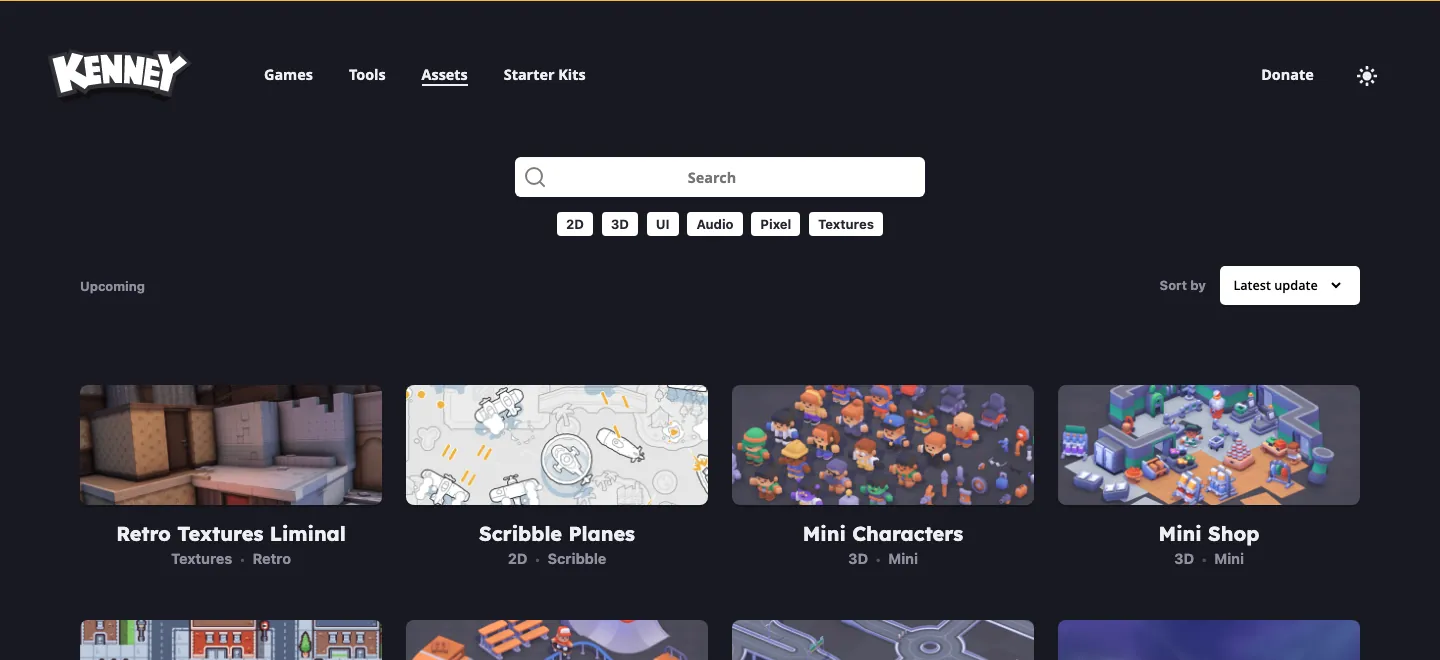
- Kenney: CC0, no credit needed. The Survival Kit alone has 80 files. See our Kenney guide.
- Quaternius: handmade, CC0 or its own QAL license, which bars direct resale of the assets.
- KayKit Adventurers: five rigged and animated characters with 25+ accessories in the free version, CC0.
- Poly Haven: realistic models, CC0.
A good plan is to choose one library as the base, then generate only what it lacks: your hero, your boss, the one object on the store page. That may be five models. Generate them at a similar triangle count and paint them with the library's palette. Our game assets guide covers matching styles, Godot assets covers import, and itch.io assets explains how to read licenses on individual packs.
If the models are all for one game
Some people looking for a Meshy alternative want a game at the end, and the models were step one of twenty. In that case a game maker may fit better.
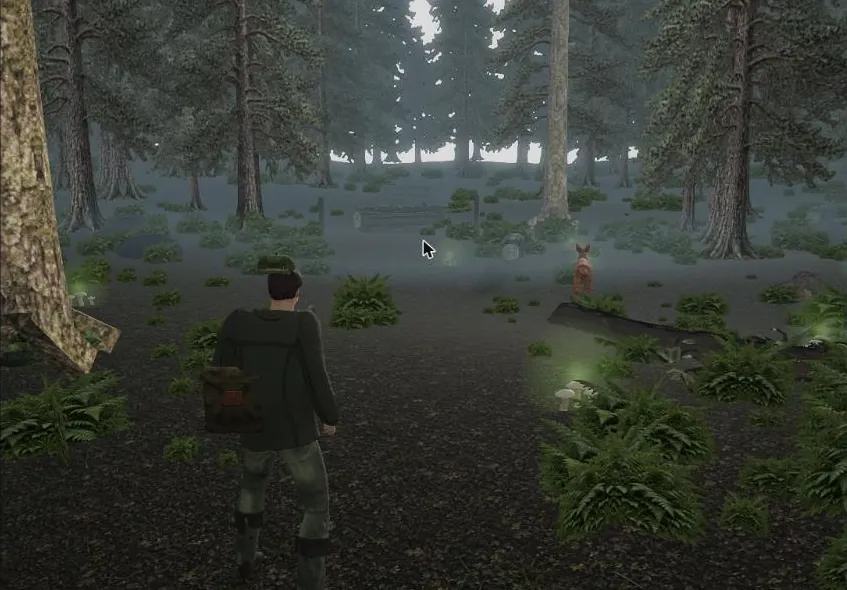
In Oryn, the model arrives placed in the scene. Buildings, props, vehicles and held items are modelled and textured for that game, and characters and animals come rigged and animated. Realistic pieces can come from free libraries such as Poly Haven. It also takes files you upload, including the Meshy models you just downloaded.
After the first build, ask for single models in plain language:
It's the wrong choice if you want model files for another engine, control over polycount and bones, or a free tool. Oryn isn't sold as a model generator, its Free plan plans one game without building it, and changes need credits or a paid plan. Stay with Meshy or Tripo for that. For what a whole 3D game involves, read how to make a 3D game.
When to stay with Meshy
Stay if one of these fits:
- You use the animation library on humanoids.
- You want unlimited downloads and free remeshing and rigging in one web app.
- Crediting Meshy on the free plan is no problem for you.
- Your complaint turned out to be the default setting.
And if your complaint is that characters need cleanup, know that every tool here leaves some of it to you.
Frequently asked questions
What is the best Meshy alternative?
It depends on why you're leaving. As of November 24, 2026, Sloyd Plus at $15 a month lists unlimited core generations. Tripo's API charges about $0.30 per textured image-to-3D model with no subscription, and TRELLIS.2 is MIT-licensed for your own 24 GB GPU. For ordinary props, free CC0 packs are often the better replacement.
Is there a free alternative to Meshy AI?
Yes, with different catches. TRELLIS.2, TripoSG and Stable Fast 3D are free to run on your own GPU, each under its own license. Sloyd's Guest plan gives one generation a day for personal use. Kenney, KayKit and Poly Haven offer finished CC0 models at no cost, commercial use included.
Is there an open-source alternative to Meshy?
TRELLIS.2 from Microsoft is the closest, with model and code under MIT and PBR textures in its output. It needs an NVIDIA GPU with at least 24 GB. TripoSG is MIT and runs on 8 GB but its README covers shape only. Hunyuan3D 2.1 publishes weights under a license that excludes the EU, UK and South Korea.
Can I still use my Meshy models after I cancel?
Models made on a paid plan are yours under Meshy's terms as far as the law allows, and free-plan models stay under CC BY 4.0 with credit. The terms don't address cancellation directly, and they let Meshy remove files from inactive accounts, so download everything before you go.
Do Meshy credits expire?
Monthly credits reset on the first of each month and don't roll over. For purchased credits, Meshy's docs say they don't expire while its terms say they last one year from purchase, as of November 24, 2026. Use them within a year to be safe.
Which Meshy alternative is best for low-poly models?
Try Meshy's own Smart Topology first, which builds at a set face count with a default of 4,000 or 15,000. Otherwise use Tripo's low-poly mode at 500 to 20,000 triangles, Sloyd's templates for families of similar props, or Blockbench if the style is blocky.